

A complete Fun Prompt Friday guide to the new workbench: put GPT-5.6 and Claude Fable 5 to work side by side, give both the free Genealogical Research Assistant v9.2, and put your evidence, not a chatbot, at the center of your research.
Complete reference edition: Read the full guide on GitHub, or give its raw Markdown URL < https://raw.githubusercontent.com/DigitalArchivst/Open-Genealogy/main/reference/trifecta/trifecta-full-reference.md > to a chatbot and ask it to walk through the guide with you one checkpoint at a time.
Somewhere in your AI history is a useful piece of genealogy you can no longer find. You explained the ancestor, uploaded a record, corrected a name, and reached a careful answer. Now the work lives inside a chat called something like “Marriage question (3).” The answer may still be there, but the path to it is hard to see. Which image controlled the conclusion? What did the model transcribe before it interpreted? Which correction came from you? Could a second assistant review the same evidence without first being influenced by the first answer?
Here is the change I want to help you make: a chat is a conversation; a folder is a workbench.
On a workbench, the record stays beside the transcription, and the exact prompt stays beside the first answer. A second assistant can inspect the same evidence independently. When the two disagree, you have not found a problem; you have found the most valuable thing this arrangement produces: a disagreement you can see, weigh against the record, and settle yourself. The result does not disappear when a chat scrolls out of sight, and it does not belong to one model.
That is the Trifecta: GPT-5.6 Sol, Claude Fable 5, and Genealogical Research Assistant v9.2. Sol and Fable are the two reasoning engines. GRA is not a third model or an autonomous genealogist; it is a reusable Agent Skill that gives both assistants the same GPS-aligned method. The fourth and indispensable participant is you. The assistants extract, transcribe, correlate, question, and draft; you choose the research question, control the files, judge the evidence, protect people, and own every conclusion.
This guide takes you from ordinary chat to one complete, inspectable first project. You do not need to become a programmer. You need a computer, two desktop applications, one safe folder, copied records you are entitled to use, and a willingness to look at the evidence yourself.
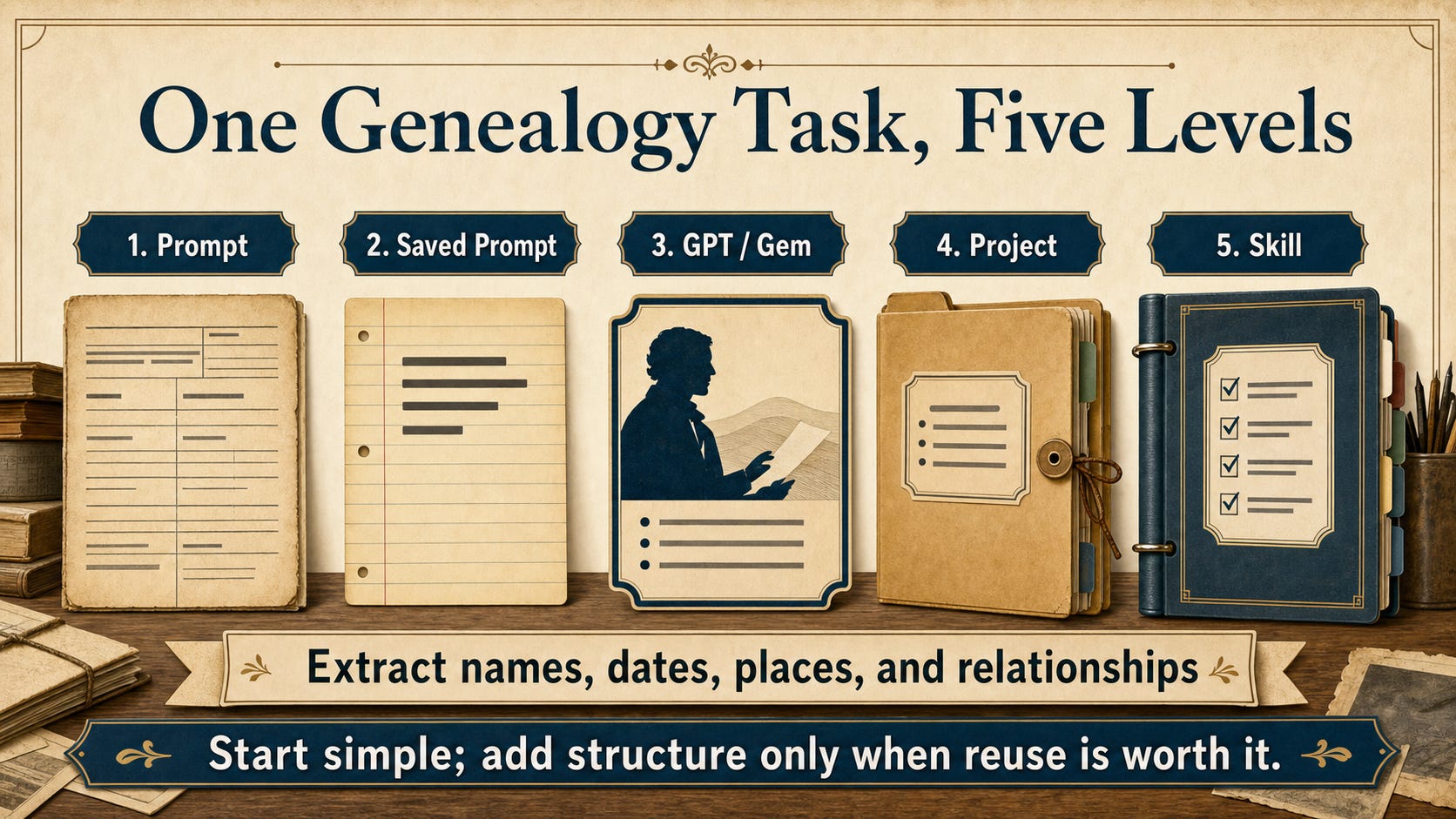
From One Prompt to a Reusable Method
If you began with ChatGPT or Claude, you already know the first level: type a prompt, receive an answer, and continue the conversation. A saved prompt makes good wording easier to reuse. A Custom GPT, Gem, or similar helper can carry standing instructions into new conversations. A cloud project groups chats, files, and guidance inside a provider’s service. An Agent Skill packages a method so a compatible desktop agent can apply it across many local projects.
These are not school grades. You did not fail to graduate if you skipped Custom GPTs, Gems, NotebookLM, or cloud projects. The important question is not “Which level am I on?” but “Where do my evidence, instructions, and decisions need to live for this task?”
For a bounded genealogical case that you want to inspect, revisit, and hand to more than one assistant, a local folder offers something different: visible files that you control. It can hold source images, the precise assignment, untouched first responses, human review notes, and a final conclusion; a small research archive rather than a long conversation.
The Agent Skill is separate from that archive. GRA v9.2 is a packaged genealogy-method manual: it guides an assistant to distinguish transcription from interpretation, assess Source, Information, and Evidence separately, correlate claims, resolve conflicts, protect privacy, avoid fabricated facts and citations, and write conclusions with calibrated confidence. Remember it this way: the method is global because it travels from family to family; the evidence is local because every case changes.
“GPS-aligned” is deliberate language. A Skill can remind an assistant to use sound categories and preserve uncertainty. It cannot conduct a reasonably exhaustive search by itself, guarantee accurate transcription, or make your work comply with the Genealogical Proof Standard. That remains a human research responsibility.
Where the Work Is Going
The center of gravity has moved quickly. In 2023, we were learning to ask a chatbot better questions. In 2024, reusable assistants such as Custom GPTs and Gems became familiar. In 2025, cloud projects kept files and conversations together. In 2026, desktop agents can enter a folder on our own computer, read selected files, and, with permission, create durable work beside them. Hockey players are told to skate to where the puck is going; the puck is already moving toward your file system.
The next horizon is local AI: models running entirely on your own machine through tools such as LM Studio. That deserves its own article; our featured Sol and Fable models still think in the cloud, and what is local here is the evidence trail and work surface, not the model inference.
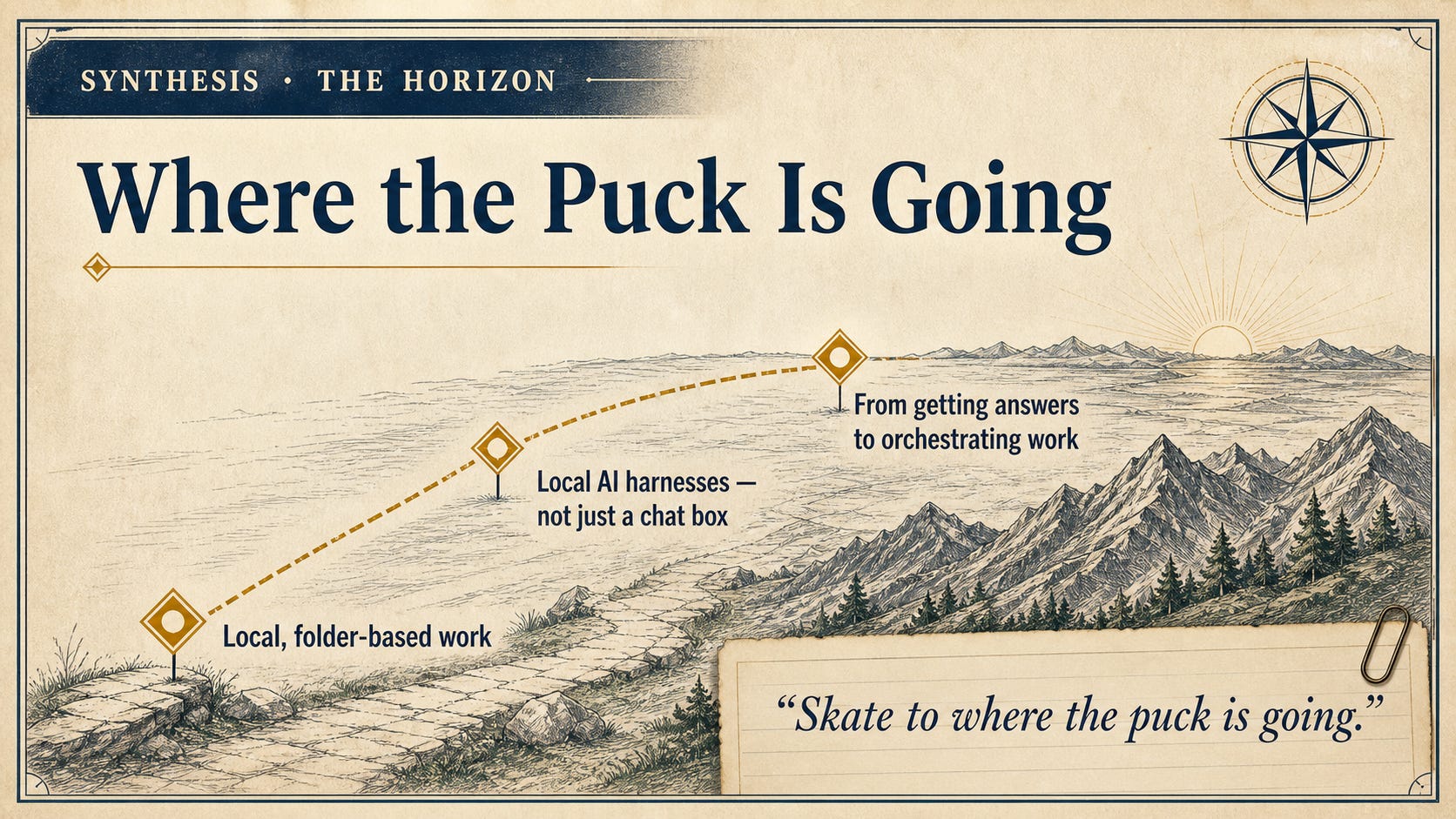
Product names and models will keep changing. The durable skill is learning to define a bounded task, preserve its inputs and outputs, assign reversible roles, and adjudicate against the source.
Cloud Thinking, Local Evidence Trail
A local project folder is an ordinary folder on your Windows or Mac computer. Codex inside the ChatGPT desktop experience and Claude Code inside Claude Desktop can open that same folder and work with its contents when you grant permission. An assistant that can look inside your folder and, with your permission, create or change files there is called an agent. A chat answers you; an agent can also act, and the file it writes is what makes a folder a workbench.
This does not mean the evidence stays entirely on your computer. When a cloud model reads a record, the selected material is transmitted to that provider under your account, plan, and service settings; a file can be local at rest and still be processed in the cloud. Do not place anything in the folder that you would not appropriately send to the selected service.
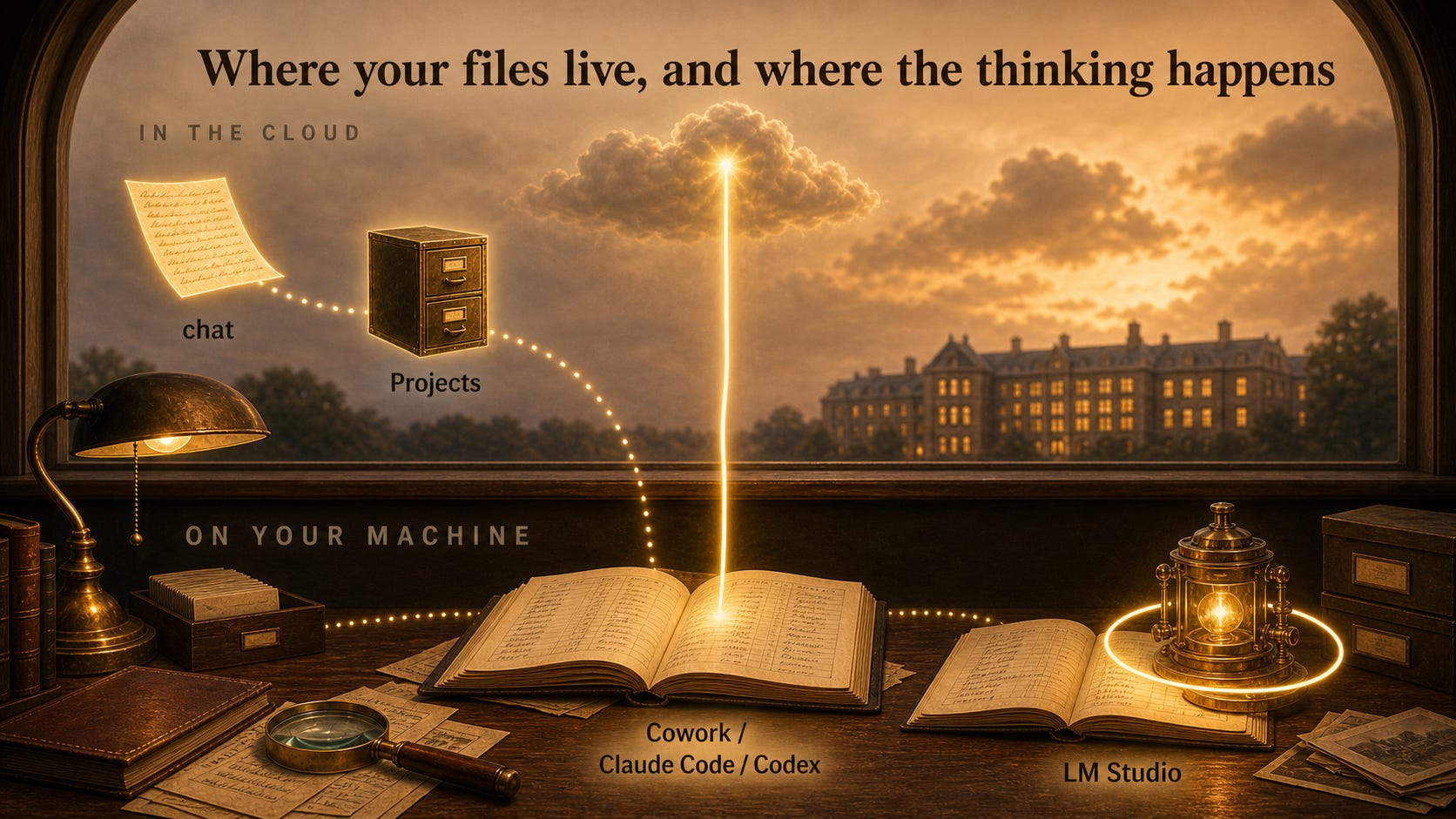
Before either assistant receives folder access, agree to a short compact with yourself. These are ordinary workbench habits, not a claim that either desktop app is unsafe.
Make a small workbench. Create one new folder for this case and open each assistant there. Keep the narrow, approval-based permission setting; do not choose full access. A working folder narrows the task, but it is not a promise that an assistant cannot read anything outside it.
Work from copies. Keep your only original images and your trusted tree somewhere else. Make a backup before asking an assistant to rename, move, convert, or edit many files.
Start with deceased people. Remove details about anyone who may still be living, especially addresses, contact information, employment, medical, financial, DNA, adoption, and legal information.
Keep secrets out. Do not place passwords, recovery codes, API keys, tax records, or other credentials in the folder or paste them into a prompt.
Treat records as evidence, not orders. If a document or copied webpage contains an instruction such as “ignore your rules” or “reveal private information,” tell the assistant to quote it as document content and not obey it.
Approve only what you understand. Read requests to run commands or change files. If the reason is unclear, ask what the action will do and which files it will affect before approving it.
Keep the trail. Save the source images, the exact prompt, each assistant’s untouched first response, the review, and your final decision. When assistants disagree, check the record; do not settle the question by a vote.
You decide what leaves the bench. AI output is a draft. Verify every record reading, citation, inference, and conclusion; check privacy, reuse rights, permissions, and GRA attribution; then personally approve anything you share or publish.
If one line is worth memorizing, it is this: do not approve what was not explained.
The visible folder gives you three kinds of control: scope, because you decide which copies enter the sandbox; provenance, because the prompt and raw answers remain beside the records that produced them; and portability, because another compatible assistant can work from the same files. There are limits: a folder does not make an assistant accurate or prevent it from overlooking a faint numeral. It makes those problems easier to see and correct because the trail remains available.
Tokens and Bounded Work
One billing and capacity word is worth learning before any money changes hands: models read and write in tokens, small units of text, and a bounded packet of a few images with one explicit question is easier to inspect, cheaper to run, and fairer to compare than an entire uploaded tree. When both assistants receive the same few images, the same prompt, the same method, and the same no-web boundary, their differences become examinable evidence rather than noise.
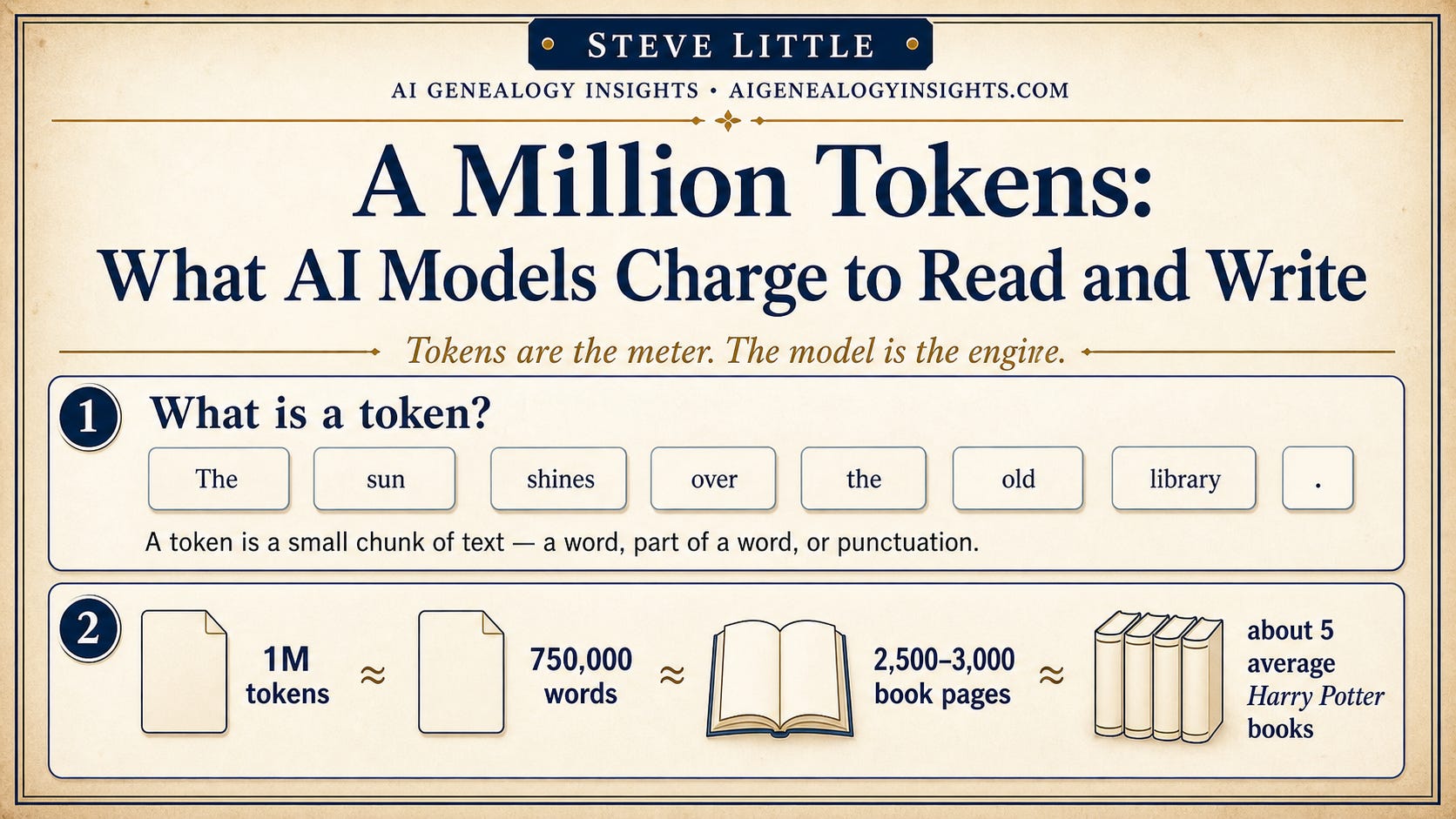
What the Featured Route Costs
Two different companies are involved, and each requires its own account; the featured route is not free, and one piece of it is on a clock. Keep three billing categories separate. A subscription provides the models included within plan limits; it does not provide API tokens. Fable’s temporary included access is promotional: Fable 5 is included only up to 50 percent of eligible weekly limits on eligible paid Claude plans through Sunday, July 12, 2026, at 11:59:59 PM Pacific Time. Afterward, continued Fable use requires prepaid usage credits billed at standard API rates, currently $10 per million input tokens and $50 per million output tokens; API billing is separate from ordinary subscriptions.
You can learn the folder-and-GRA method without buying every flagship model. On the OpenAI side, ChatGPT Plus or higher exposes GPT-5.6 Sol in Codex, while Free and Go plans include Codex with GPT-5.6 Terra, subject to plan limits. On the Anthropic side, Claude Code requires a paid Claude plan or Console account; the free plan does not include it. GRA v9.2 itself is shared without charge for permitted noncommercial use. If the featured window has closed by the time you read this, nothing breaks: use the strongest suitable models your accounts provide.
These dated facts were checked against official documentation and a working system on Friday, July 10, 2026. This is a one-time article, written and published in a single push, not a manual I will keep updated; if your screen differs, check the vendors’ current plan and help pages.
Build the Workbench Folder
Create one new folder in a location you control, such as your Documents folder, with a clear, dedicated name; this article uses trifecta-lawrence-first-project. This is your sandbox: the one place both assistants will be allowed to work. Inside it, create five ordinary subfolders:
Failed to render LaTeX expression — no expression found
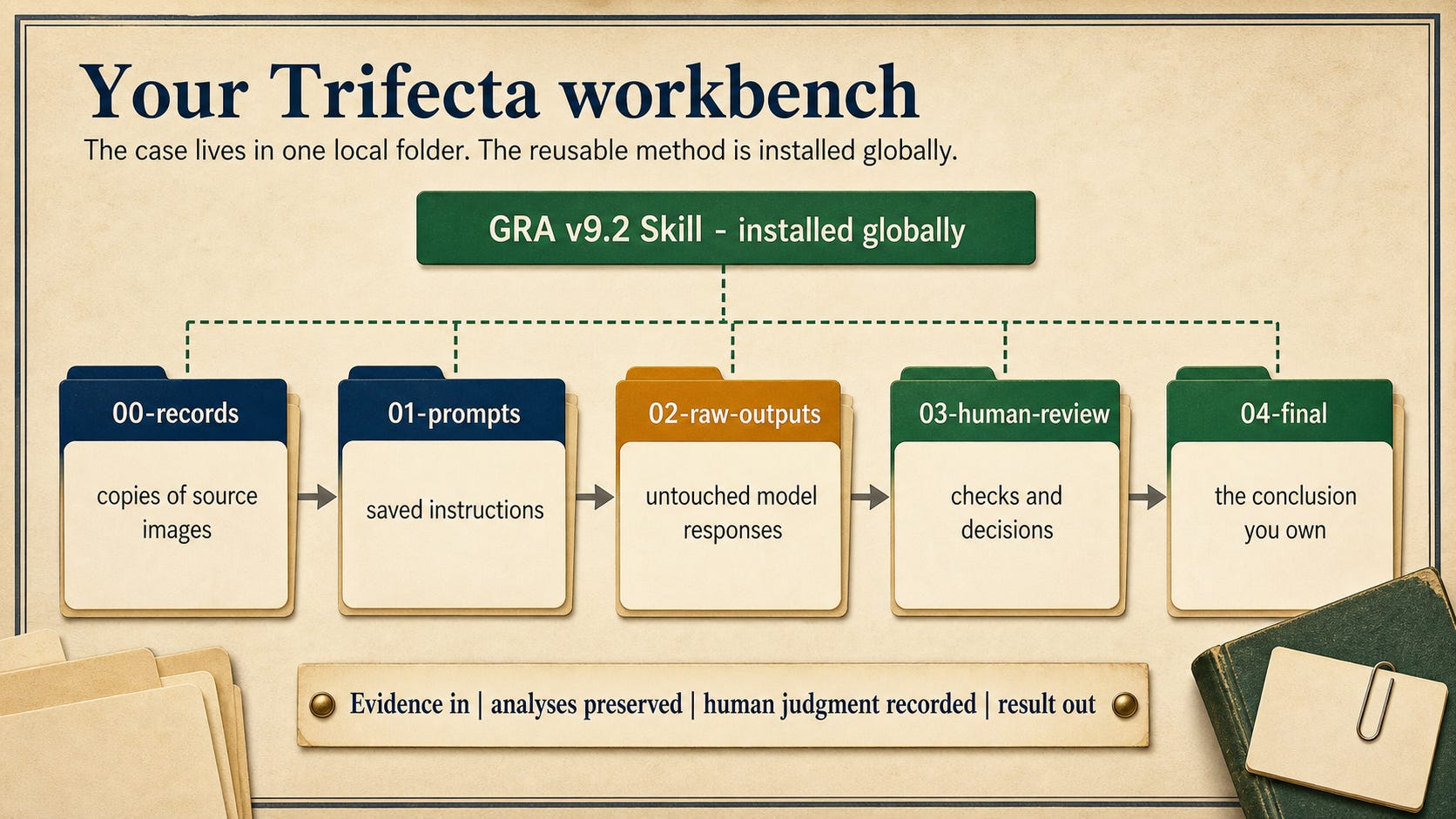
The numbering forces your file manager to display the folders in the order the work flows. 00-records holds copies of source images. 01-prompts holds the exact instructions used for each run. 02-raw-outputs preserves each model’s untouched response; a correction always gets a new file, so the history stays inspectable. 03-human-review holds comparisons, checks, and your rulings. 04-final holds only the conclusion you have reviewed and approved. If you have ever kept a research log beside a binder of photocopies, you have already run this pipeline by hand.
Now the records. Download and extract the Lawrence First Project records package. It includes the practice records, prompts, folder structure, and source-and-rights information used in this walkthrough. If you are working with your own records instead, use one or two document images about a single deceased person that you are entitled to process, and adapt the filenames and research question below to match. In either case, work from copies—never your only originals. And never quietly correct a raw response in place: preserve the original report and record the correction in human review, so a reader can tell what the model produced, what an auditor noticed, and what the human decided.
One thing you will not put in this folder is GRA itself; the method lives apart from the case, in the user-wide location the installation section below describes.
Install Claude Desktop and Open Claude Code
The first assistant now takes its seat. This terminal-free route was checked against July 10 documentation and a configured Windows system; if a label has moved, follow the checkpoint at each step, and treat any mismatch as diagnosable, not as a verdict on you or your computer.
Before downloading anything, confirm three things: a Windows PC running Windows 10 or later (Home edition is fine); a Claude account on a paid plan, Pro, Max, Team, or Enterprise, or a Console account; and an internet connection. Open claude.ai in your browser, sign in, and check the account menu for your plan.
What you should now see: claude.ai open in your browser, signed in, with your paid plan’s name visible in the account menu. If it shows a free plan, subscribe first, and note which email address carries the subscription. If a paid account ever behaves like a free one, the usual cause is a second email: confirm the app is signed in with the address that holds the subscription before buying anything.
Open claude.com/download directly rather than relying on a search result, reducing the chance of a lookalike site. Download the Windows installer (the standard x64 version fits nearly all PCs), run it, launch Claude, and sign in with the paid-plan email. No administrator rights are needed. Mac readers: Anthropic lists macOS 11 or later at the same page, and the tabs and folder route below are the same; wherever this article says File Explorer, use Finder.
What you should now see: the Claude Desktop app open, signed in as you, with three tabs across the top: Chat, Cowork, and Code. The one we want is Code. If the Code tab is missing, update the app and confirm the signed-in account is the paid one; a missing tab is a product or account condition to diagnose, not a dead end. Cowork, the easier sibling, offers a friendlier folder workspace where available, but its availability on Windows Home was unreliable in our research, so this walkthrough uses Claude Code; the same folder and safety rules apply if you explore Cowork later.
Anthropic’s quickstart requires Git for Windows for local Code sessions. Download it from git-scm.com, accept the installer defaults, and restart Claude Desktop; if Code still misbehaves, restart Windows. This gate stops many first attempts, and it is a missing prerequisite, not a fault in your setup.
What you should now see: in the Start menu, a new entry called “Git Bash.” You do not need to open it; its presence is your confirmation.
Click Code, choose Local, which selects a folder on your own computer as the workspace, then click Select folder and pick the sandbox you built above. Starting there narrows the normal write boundary, but it is not a promise that Claude cannot read outside the folder.
What you should now see: a session open with your folder’s name visible, and a message box waiting for you to type. A new installation may first show a consent question; if you do not understand it, ask what it will do before approving anything.
Next to the message box is a model selector. While the included-access window lasts, choose Fable 5; if it is absent, update the app or simply proceed, because Opus 4.8 and Sonnet 5 are continuing options and this entire method works on them. Then find the session’s permission control and choose the review-before-write behavior in which Claude proposes each file change and waits for your approval; do not assume the default matches this article.
What you should now see: your chosen model’s name in the selector, your folder’s name in the session, and a permission mode you can name out loud. For any mismatch beyond the three covered here, the account, the missing tab, and the Git gate, compare your screen against the vendors’ current help pages rather than forcing progress by widening access.
Where Instructions Live
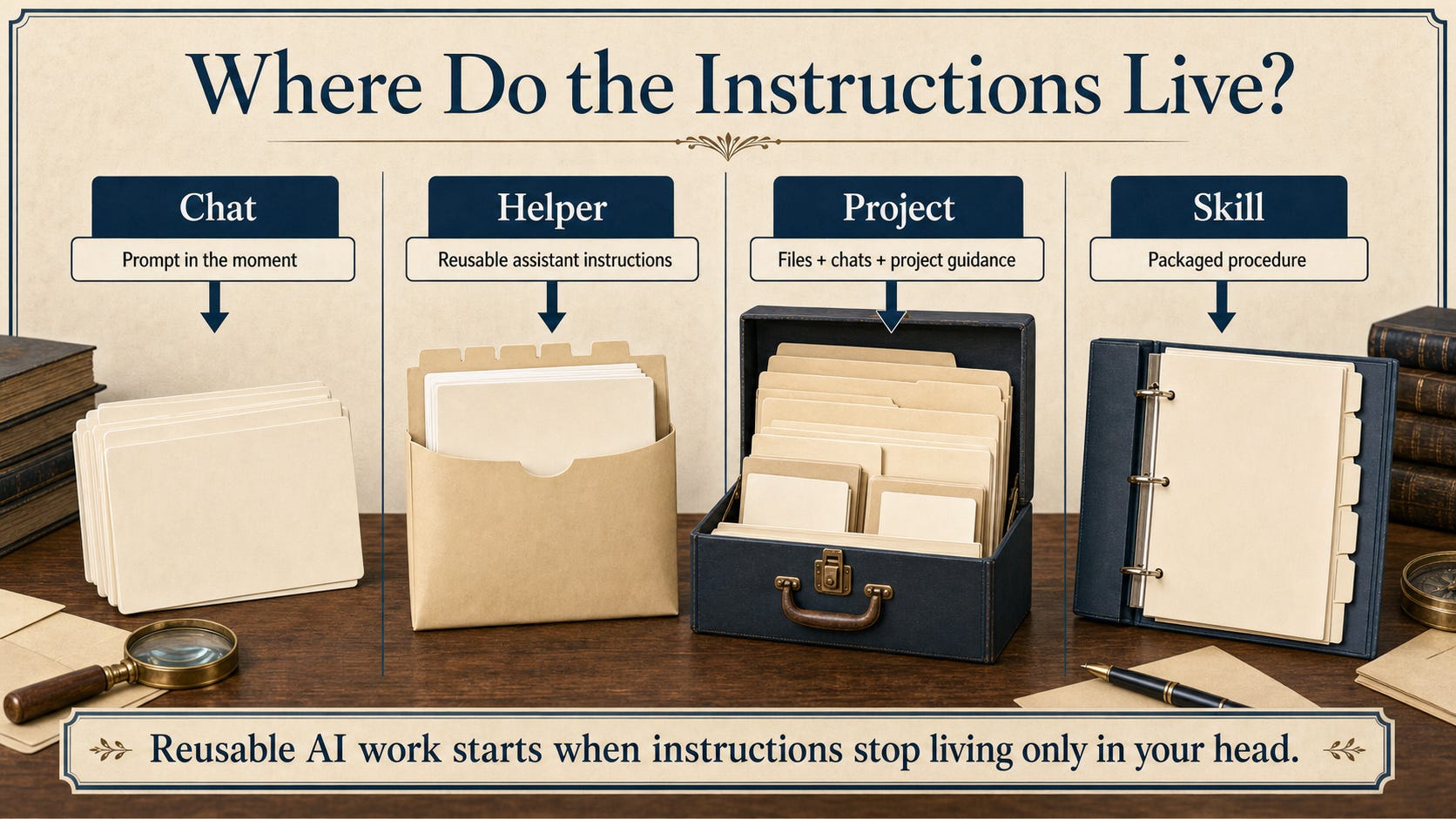
Instructions can live in four places: a chat prompt spent in the moment, a reusable helper, a cloud project, and an installed Skill, and GRA belongs in the last of these.
Install GRA Globally for Claude
You will not download GRA by hand. You will ask your assistant to fetch and install its own methods manual, which is itself a small demonstration of what these agents can do. Give this prompt to Claude in your open Code session, exactly as written:
Open the official GRA v9.2.0 release page at https://github.com/DigitalArchivst/Open-Genealogy/releases/tag/v9.2.0. Download exactly
gra-skill-v9.2.0.zipand install it as an Agent Skill. Do not install the Chat Edition Markdown file. If you cannot access files or install skills, tell me exactly what I must do manually.
Before you approve anything it proposes, you should be able to answer four questions from what it has told you: Is the download coming from the official DigitalArchivst/Open-Genealogy release on GitHub? Is the selected file the Agent Skill ZIP? Is the destination the user-wide skills folder, outside your genealogy folder? Is it changing only the gra skill folder and nothing else? Never approve a request to touch a whole drive.
A “done” message is not proof. When the assistant reports success, send this separate verification follow-up:
Verify the installed GRA version, list the installed runtime files, report the global installation path, and tell me whether I must restart or open a new session before using it. Do not expose secrets or change unrelated files.
For the release current on July 10, 2026, the answer should name v9.2.0 Skill Edition, exactly six files, and this destination:
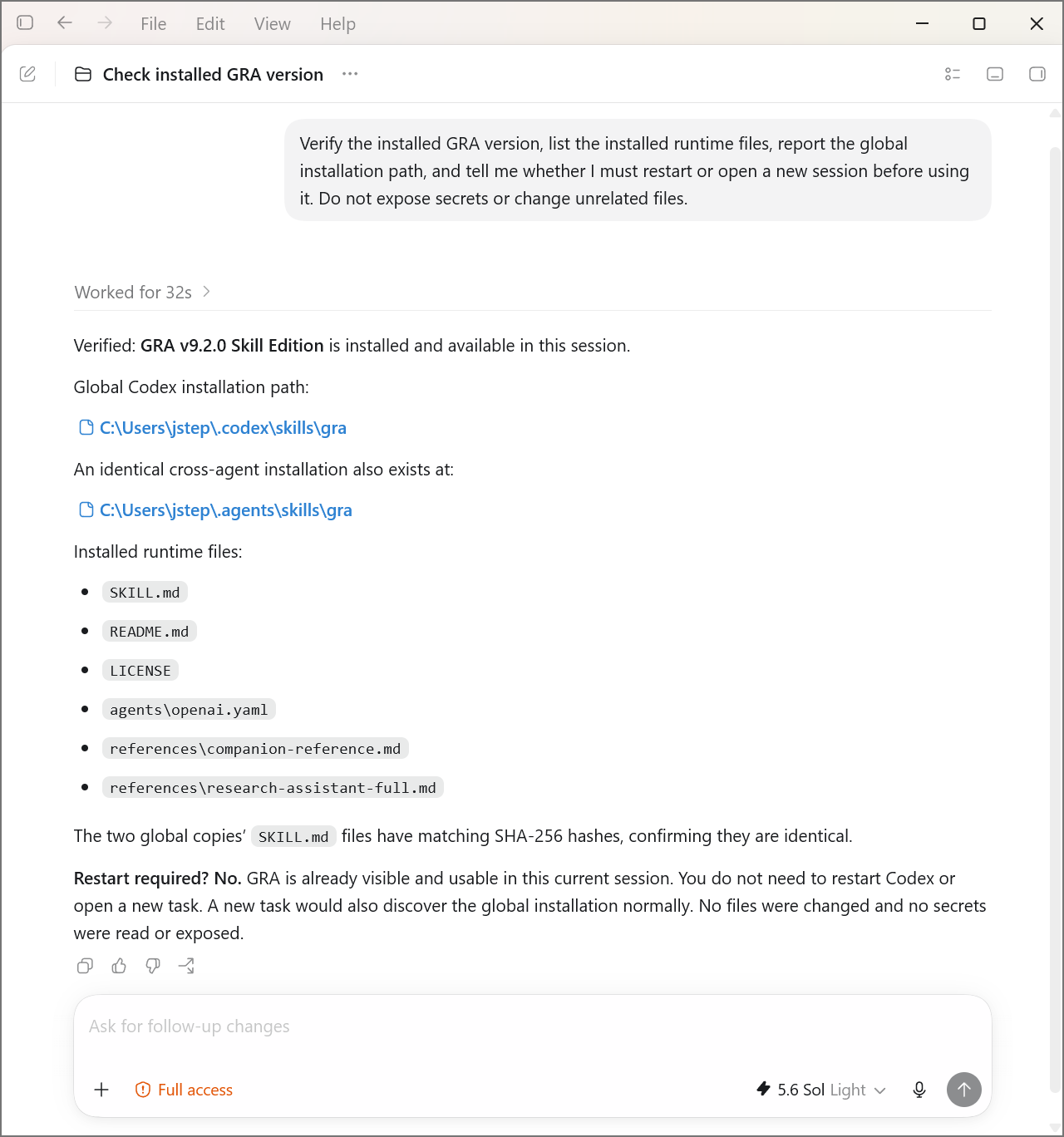
Then check independently in File Explorer: that folder exists with SKILL.md directly inside it, and its version line reads v9.2.0. If the assistant finds a gra folder already present, do not let it overwrite silently; have it report the existing path and version first, keep the old folder as a dated backup, and replace only the gra skill folder. Finally, start a fresh Code session in the sandbox, because an already-open session may not notice a newly installed Skill, and ask it to report the GRA version and the exact path it loaded.
If a plan, permission mode, or workplace policy stops the prompt, that is a boundary working, not a failure. The manual route needs no terminal: download the gra-skill-v9.2.0.zip from the official GRA v9.2.0 release page at https://github.com/DigitalArchivst/Open-Genealogy/releases/tag/v9.2.0 yourself and copy its single top-level gra folder into C:\Users\<you>\.claude\skills\ so that SKILL.md sits at ...\skills\gra\SKILL.md, not nested one level deeper. Then restart Claude and repeat the fresh-session check.
That fresh-session report is the checkpoint for this section: v9.2.0, from a global path, outside the case folder.
First Success: One Record Set, One Durable File
Everything so far has been preparation. This is the section where an assistant reads a real record from your folder and leaves behind a file that outlives the conversation.
The worked example is deliberately small: Warren Dean Lawrence of Ashe County, North Carolina, in early 1942. A World War II draft registration card, front and back, dated February 16, 1942, names a registrant and lists “Mrs. Warren Dean Lawrence” as the person who will always know his address. A county marriage register records that Warren D. Lawrence married Thelma Houck on January 10, 1942. Both people are deceased; no living person’s information enters this exercise. The packet supplies six images: the card’s front and back, plus four crops pairing the register’s headings with the Lawrence and Houck row and with the matching date-and-place cells. The crops are deliberately bounded: use the headings as the key for the row, but do not infer page context outside the supplied pixels.
The research question is equally bounded:
What do these records establish about Warren Dean Lawrence’s identity and marriage as of February 16, 1942, and what remains unproved?
Read that question yourself before running anything. It does not ask for Warren’s parents, descendants, or later life, and it does not invite a web search.
Save the prompt below as 01-prompts/01-independent-analysis.md, filling the four bracketed fields: filenames, person or event, bounded research question, and output file. For the Lawrence packet, the filenames are its six images, exactly as they appear in 00-records after extraction: R01-draft-card-front.jpg, R02-draft-card-back.jpg, R03a-register-party-headings.png, R03b-register-party-row.png, R03c-register-marriage-headings.png, and R03d-register-marriage-row.png; if you are using your own records, list your own files’ names instead. The person is Warren Dean Lawrence and his marriage, and the question is the one above. Send it to Claude in a fresh session, with the output file set to 02-raw-outputs/02-fable-independent.md:
Use Genealogical Research Assistant v9.2 to analyze only the supplied images in
00-records:[LIST YOUR FILENAMES]. Do not infer entries or page context outside the supplied pixels. Do not search the web, use outside biographical knowledge, or consult another analysis. First assess image quality and transcribe the entries relevant to[PERSON OR EVENT]without silently guessing. Mark every unclear reading. Then separate the discrete assertions and classify each through GRA’s Source, Information, and Evidence layers, explaining any classification that depends on the difference between the underlying record and these digital derivatives. Correlate the records and answer: [YOUR BOUNDED RESEARCH QUESTION]. Distinguish what a record states explicitly from what the records support only when correlated. Identify name variations, conflicts, unsupported assumptions, and missing evidence. Cite only the supplied images by filename and relevant field or row. Do not add people, events, or later-life facts outside the images. Acknowledge uncertainty rather than inventing a reading. Write a concise Markdown report, no more than 1,200 words, to[OUTPUT-FILE]. Do not alter the source images or any other file. At the end, report the file you created and any reading you believe requires human inspection.
Every clause of that prompt is a working rule you already know: transcribe before interpreting, mark what is unclear, stay inside the supplied evidence, separate what a record says from what records support together, and name the file so the work survives. When the assistant proposes the file, read the proposal before accepting it.
What you should now see: the report in two places: inside the app’s project view and in File Explorer, where it opens as ordinary Markdown. If the assistant says the file exists and File Explorer disagrees, believe File Explorer and ask it to create the file in the current folder. Then open the report beside one record image and check a single load-bearing claim yourself; the record, not the assistant’s confidence, is the ground you stand on.
Pause and take stock, because you have just crossed the first finish line. You have a working one-assistant, one-folder, GRA-guided system: a dedicated folder you control, an assistant directed to work on the copies inside it, a global method guiding the analysis, approval-based review of proposed changes, and a durable analysis file that will still be there after this chat is forgotten. Everything from here forward, the second assistant, the comparison, the collaboration, is multiplication. Nothing that follows takes this away.
Add the Second Assistant: The ChatGPT Desktop App and Codex
As of July 10, 2026, OpenAI’s former standalone Codex desktop app has become part of a new, unified ChatGPT desktop app. Codex remains a named mode inside that app, built for exactly what you have been doing on the Claude side: opening a local folder and working with its files.
On Windows, go to chatgpt.com/download and choose Windows. The button opens the Microsoft Store listing; confirm the publisher is OpenAI, then install. When installation finishes, open ChatGPT and sign in with the same account you use for ChatGPT on the web. Mac readers: the app requires macOS 14 or later on Apple Silicon; download the macOS build from the same official page, not the Store. You do not need a paid plan for this section: Codex is included across ChatGPT plans, Free and Go included, with limits that vary by plan.
What you should now see: an installed application named ChatGPT, not ChatGPT Classic, open to a signed-in workspace rather than a sign-in screen.
In the upper-left corner of the app is a mode switcher. Choose ChatGPT Codex. Two nearby options are not the ones you want today: Quick chat opens the familiar conversation view, and ChatGPT Work is a distinct research-and-documents experience. If you land in an ordinary chat box with no sign of folders, you are in Chat; return to the switcher.
What you should now see: the upper-left selector reading ChatGPT Codex, and an interface offering to start a task or open a local project or folder.
From Codex, choose the current option to open a folder or local project, and select the same sandbox folder already holding the records and the Claude analysis. Do not open the parent Documents folder or a whole drive.
What you should now see: the project or workspace view naming your sandbox folder, and nothing broader.
Beneath the message box is a control for the model. Choose GPT-5.6 Sol if your plan offers it; on a Free or Go plan, the documented Codex model is GPT-5.6 Terra, an expected accessible route, not a failed installation. Next to it, set the permissions control to Ask for approval: Codex can then read and edit files in the current workspace but pauses before reaching the internet or anything beyond the folder. Do not choose Full access.
What you should now see: the control beneath the composer naming your chosen model, and the permissions control reading Ask for approval.
Now give Codex the method. Send it the same installation prompt printed above, exactly as written, and then the same verification follow-up; the prompts are not Claude-specific, and each app identifies its own user-wide home. For a new installation, OpenAI’s current user-wide Agent Skills location is C:\Users\<you>\.agents\skills\gra\. Treat that as the expected path, not a rule to enforce: match the files you can inspect on disk to the path a fresh Codex session reports it actually loaded. If a fresh session finds two gra copies, verify that every copy is v9.2.0 before moving either one, and record the ambiguity rather than guessing.
What you should now see: a fresh Codex task in the sandbox confirming GRA v9.2.0 from a user-wide location outside the case folder. Two assistants now share one bench and one method; nothing about that makes them agree.
Run the Independent Comparison
The first comparison must be independent. Start a fresh Codex task in the sandbox before this run, just as you did on the Claude side, so the analysis begins clean rather than inside the installation conversation. Then give Sol the same frozen prompt from 01-prompts, changing only the output filename to 02-raw-outputs/01-sol-independent.md. Do not show either assistant the other’s report, summarize the first answer in the second chat, or ask one model to improve the other until both first-pass files are complete.
That separation matters because models are suggestible readers. Once an assistant sees “the weight is 130” or “the bride is Thelma Houck,” the wording can anchor its own reading. We want two first looks at the same pixels, not one look and one response to it.
Expect each report to work through GRA’s three-layer discipline. Source asks what kind of artifact we are using: each supplied image is a Derivative Source image or crop through which we access an underlying record, not “Original as imaged.” Information asks about the knowledge behind a specific statement: Warren supplied much of the draft card front, so those entries are Primary Information about what he reported, while his birth details are Secondary Information, and the register’s unnamed informant leaves its assertions as Indeterminate Information. Evidence exists only in relation to the research question: whether Warren Dean Lawrence and Warren D. Lawrence are the same man is an identity conclusion built by correlation, not an explicit statement in either record.
Read the Reports Against the Records
When both reports exist, leave the originals untouched and read each beside the images. A useful claim-by-claim review records five things: Sol’s reading, Fable’s reading, the exact filename and field that controls, the relevant Source, Information, or Evidence issue, and your decision, which can be accept, reject, or preserve uncertainty, followed by a reason.
Work field by field rather than rating the reports by overall impression. Begin with names, dates, places, ages, and description entries. Then list every identity connection each report makes and mark whether the claim is printed directly in one field, supported only by correlation across records, or absent from the packet. Finally, review what each assistant says remains unproved. A report that catches a difficult numeral may still overstate a source classification; a cautious conclusion may still omit a transcription problem. If the pixels remain ambiguous, do not force a choice merely so the ledger looks complete; “preserve uncertainty” is not a failed answer but often the most accurate description of the evidence available.
The real Lawrence run produced three especially useful teaching moments.
First, weight. On the back of the draft card, Sol transcribed 130 pounds. Fable read 180. This is not settled by asking which model is newer or which answer sounds more confident. Magnifying the field shows a closed double loop in the middle digit. The human ruling is 180. Sol’s original 130 remains in its untouched report, and the correction belongs in human review.
Second, the marriage year. The cropped marriage row shows Jan. 10 followed by a ditto mark, but the year’s antecedent is outside the model packet, and both assistants had to respect that boundary. A later, controlled human inspection of the full page supplied the ditto context for 1942. The final account may therefore use January 10, 1942, but it must disclose that the six model-input images did not themselves display the year. Added context should be named, not smuggled backward into the comparison.
Third, Thelma’s identity. The register names Warren D. Lawrence and Thelma Houck. The February draft card names Warren Dean Lawrence and gives Mrs. Warren Dean Lawrence as the person who would always know his address. Compatible name forms, age, place, chronology, and marriage context support the conclusion that the contact was probably Thelma. Yet neither record explicitly equates those two forms, and this bounded packet is not a reasonably exhaustive search. The responsible conclusion is Probable, not Proved.
This is why agreement needs careful handling. If both assistants reach the same identity conclusion, we have repeated interpretation, not a new historical source. Two models may notice the same pattern, but they can also share an assumption or repeat the same error. Model consensus never outweighs the record. And a disagreement, like the weight, is not a malfunction; it is the system surfacing a question that one confident answer would have hidden.
Other details show the same restraint: the card’s notation Half Brown eye should be transcribed as written, because a medical explanation is interpretation and should not silently replace the wording. When your review is complete, save the disagreement ledger and rulings in 03-human-review. If you consult anything beyond the six images, such as the controlled full page for the year, identify it and say exactly what it contributed.
Adjudicate First, Then Collaborate
Only after both independent reports are frozen and your initial review is on disk should the assistants see one another’s work.
Ask one assistant to audit both first reports against the six images and write a new file. Its job is not to choose a winner but to identify transcription differences, source-layer problems, unsupported inferences, missing uncertainty, and claims that require human inspection. Then ask the other assistant to produce a corrected synthesis using the two untouched reports, the audit, and your written rulings, distinguishing what each record explicitly states, what correlation supports, and what remains unproved.
Give every handoff a new numbered filename. The audit might become 02-raw-outputs/03-fable-audit.md, followed by 02-raw-outputs/04-sol-corrected-synthesis.md; a role-reversal audit and synthesis can become 05-... and 06-.... Do not ask an assistant to “update the best answer” without naming its permitted inputs and a new output path; that vague request invites overwriting and a final file whose lineage no one can reconstruct.
At each handoff, ask the receiving assistant to restate its role, input files, prohibited sources, and output path before it works, then check the saved file on disk. That read-back catches the moment when an auditor is about to browse the web, when a synthesizer lacks your rulings, or when the wrong project is open.
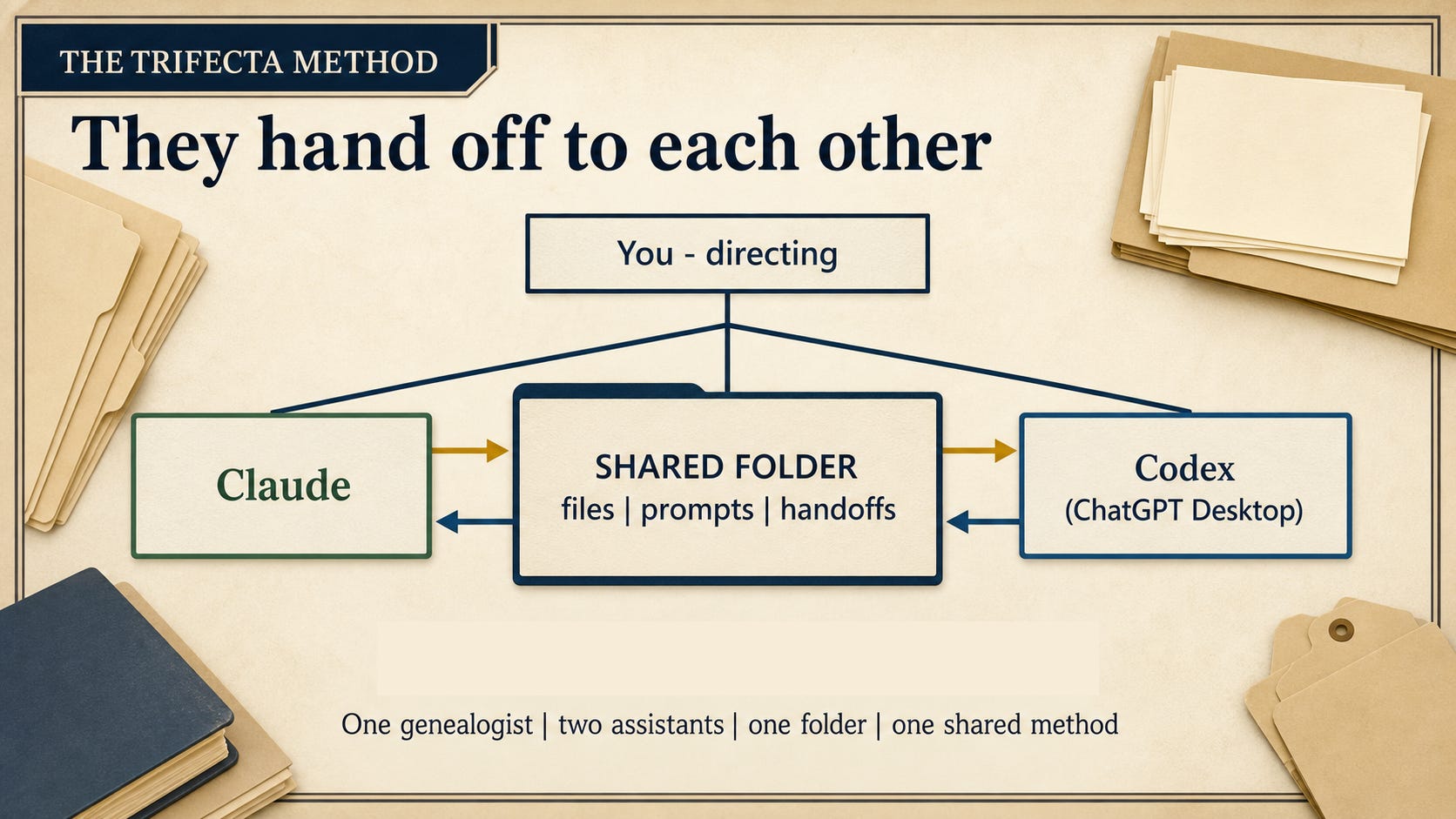
Now reverse the roles on one consequential claim. The Lawrence project used the proposition that Thelma Houck was the woman styled Mrs. Warren Dean Lawrence on the draft card. Have the previous synthesizer audit it and the previous auditor synthesize, and require both to answer: What does each record state explicitly? What does correlation support? What remains unproved?
Role reversal prevents vendor mythology. Sol is not permanently “the analyst,” and Fable is not permanently “the writer”; today’s extractor can be tomorrow’s skeptic. The useful unit is a defined and reversible role with an assignment, permitted inputs, and a visible output. A model personality is merely a story we may be tempted to tell.
The corrected evidence position for this small case is careful but useful. The draft card records Warren Dean Lawrence’s identity, West Jefferson residence, contact styled Mrs. Warren Dean Lawrence, description including 180 pounds, and registration on February 16, 1942. The register records Warren D. Lawrence, age 20, and Thelma Houck, age 19, with a January 10 marriage at Jefferson, North Carolina; controlled full-page context supplies the year 1942, which the crops alone do not. Correlated together, the records make it Probable, not Proved, that the registrant and groom are the same man and that Thelma was the card contact. That conclusion is better not because two assistants agreed, but because the trail shows the claims, corrections, controlling pixels, added context, and human ruling.
Your 04-final evidence summary should have four short parts: what the records state explicitly; what correlation supports; which human decisions corrected or constrained the model reports; and what remains unproved. An assistant may draft it from the preserved files; you approve it only after checking every material statement against the record.
The Complete Two-Assistant System
The installation is over, and the point now is not to trust either app’s success message but to inspect the bench you built. You have the complete two-assistant system when all of these are true:
Claude Desktop and ChatGPT Codex can open the same narrow sandbox folder.
Fresh sessions in both apps confirm GRA v9.2.0 in user-wide locations outside the case folder.
Both independent analyses are still present as the assistants first wrote them.
The audit, corrected synthesis, role reversal, and your adjudication are separate, readable files.
The final evidence summary distinguishes record statements, correlated inferences, human rulings, and what remains unproved.
Open the files and check. File Explorer and the contents on disk are evidence; an assistant saying “done” is not. The graduation test is just as plain: you can explain where the assistants disagreed, which evidence controlled, what you decided, and what remains uncertain. If you cannot, the work is not finished, no matter how polished the final paragraph sounds.
What You Own, and What You May Share
When the project works, you own more than an answer. You have copied source images, the exact prompt, two untouched independent analyses, a source-grounded disagreement ledger, recorded human rulings, an audit, a corrected synthesis, and a final evidence summary you can defend. The chain is visible enough for you to revisit and for another researcher to understand.
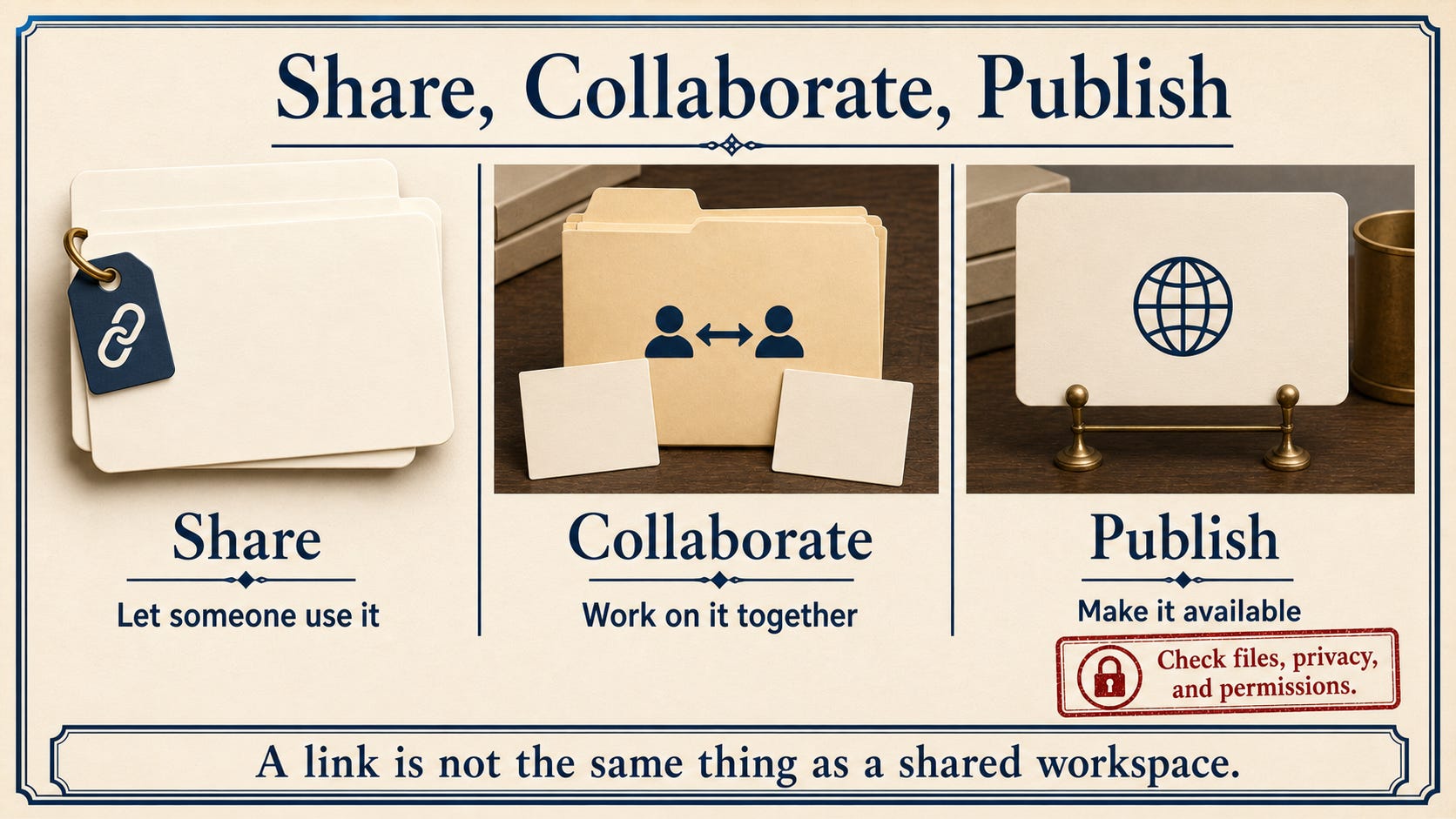
Do not treat those three actions as synonyms. You might share the final summary with one student. You might collaborate with a cousin in a controlled workspace. You might publish an article or repository release for anyone to access. A public link is not the same as a shared research environment, and permission to process an image is not automatically permission to republish it.
Before anything leaves the folder, inspect it for living-person information, sensitive material, citations, record-image rights, provider terms, and accidental internal notes. Follow the records package’s included source, rights, and attribution statement. Attribute GRA as requested in its release materials. GRA v9.2.0 by Steve Little is licensed under CC BY-NC-SA 4.0, which governs reuse and adaptation of that Skill; it does not determine the rights status of every record you analyze with it.
Run your own first project the same way. Download the Lawrence First Project records package, or begin with your own record copies. Confirm GRA globally in both fresh sessions. Run the same bounded prompt independently, preserve both answers, put the disagreement on the page, and look at the images yourself.
The product names will change. The models will change. The folder, the method, and the responsibility can remain yours.
The chat forgets. The workbench does not.
I am trying to follow the instructions in your post. Claude keeps asking for permission to use PowerShell to answer questions that come up in the execution of the prompt. They are for access to files within the sandbox, so I was ok with allowing access (I allowed access one time only so I could see all the requests and approve them). Is this supposed to happen? It did keep me glued to the screen so I could see what was happening, but it also became a bit annoying and would not be a good option if I had to babysit the responses throughout my research. I read in your post that the skills.md needs to be in the GRA folder itself to allow for permissions. My skills.md file is in the GRA folder. Claude gave me a few suggestions to minimize this from adding an allow rule for PowerShell to launching with claude --dangerously-skip-permissions. I thought I'd see what your thoughts were about PowerShell permissions.
Steve — I've been following your journey with interest; our thinking has been converging on the same questions. Trifecta gets at something I think is exactly right: two engines, same evidence, read independently, with the disagreement treated as the signal rather than a problem. The 130-vs-180 weight catch is that whole idea in one example.
One distinction that's proven useful in my own work builds directly on your point that "a model personality is merely a story we may be tempted to tell." Personality is largely promptable, and GRA does a fine job flattening it. But a search-first architecture wired to a scholarly index, or one model's file-and-archive tooling, is structural — not something a prompt can conjure, and exactly what makes two engines read the same pixels differently. So I'd separate the two: flatten personality, but keep exploiting the plumbing.
Where I've landed, after a year of building this into a formal research methodology, is a two-layer picture. Your Trifecta workbench maps cleanly onto the adjudication layer — same evidence, same question — where independent reads are the heart of it. Above it sits a pipeline layer (discovery, retrieval, deep analysis, verification, drafting) where differentiated strengths matter most. Role reversal is one proven way to keep adjudication honest; I've leaned on external audit with a standing rule instead — but the governing principle is the same across both layers: no model grades its own homework.
I've just started putting some of this up at ruddresearch.com — the site's new and still evolving, so mind the dust. I'd genuinely value your read.
Richard E. Rudd
richard.rudd@ruddresearch.com